

Blue Icicle XLR to USB Microphone Converter & Preamp
The Blue Icicle is our portable XLR to USB converter that transforms your professional XLR microphone into a high-quality USB recording solution. Whether you're podcasting from a coffee shop or recording vocals in your home studio, Icicle delivers pristine audio capture with zero latency and studio-grade preamp technology.
We designed Icicle to solve a real problem: how do you connect your XLR microphone to a computer without investing in a full audio interface? Our plug-and-play converter includes built-in phantom power for condenser microphones, a clean 10dB gain boost, and a dedicated headphone output for real-time monitoring.
The compact aluminum chassis fits in any laptop bag, making Icicle your perfect travel companion for remote recording sessions. Compatible with Mac, PC, and iOS devices, Icicle works instantly with your favorite DAW, streaming software, or voice chat application — no drivers required.
What's inside the Icicle package
How the Blue Icicle Preamp Works
Our Icicle converter uses a precision analog-to-digital conversion circuit that captures your microphone signal at 16-bit/44.1kHz resolution. The internal preamp provides a clean 10 gain boost, ensuring your recordings have professional volume levels without adding noise or distortion.
When you connect your XLR microphone to Icicle’s input, the signal passes through our low-noise amplification stage before digital conversion. The phantom power switch delivers +48V to condenser microphones that require it, while dynamic microphones work perfectly with the switch in the off position.
Setup & Compatibility Guide
Icicle works with any dynamic or condenser XLR microphone, including our Blue enCORE 100 stage microphone and Bluebird SL condenser mic. Simply connect your microphone’s XLR cable to Icicle’s input, plug the included USB cable into your computer, and start recording.
For Mac and PC users, Icicle appears instantly in your system audio preferences as “Blue Icicle.” Select it as your input device in applications like GarageBand, Audacity, Logic Pro, OBS Studio, Zoom, or Discord. No driver installation required — we use class-compliant USB audio protocols that every modern operating system recognizes.
Recording & Streaming Applications
Podcasters love Icicle because it transforms any professional broadcast microphone into a USB solution without the bulk of a traditional audio interface. Connect your favorite XLR dynamic mic, launch your recording software, and capture broadcast-quality audio with the 10 preamp boost ensuring optimal input levels.
Streamers use Icicle to integrate studio microphones with their gaming or broadcasting setups. The zero-latency headphone monitoring lets you hear your voice in real-time while gaming, preventing the echo and delay issues common with software monitoring. The compact size leaves desk space free for your Yeti X or other gear.
Complete Your Blue Microphone Setup


Rated 4.8 by verified buyers
Blue Icicle Questions & Answers
Yes, Icicle includes built-in +48V phantom power specifically for condenser microphones. Simply slide the phantom power switch to the ON position before connecting your condenser mic.
The red LED indicator will illuminate to confirm phantom power is active. Dynamic microphones don't require phantom power, so leave the switch in the OFF position when using dynamic mics like our enCORE series.
The 10dB preamp gain is fixed and cannot be adjusted on the Icicle unit itself. This gain boost is designed to bring most XLR microphones to optimal recording levels for digital capture.
If your microphone signal is too hot with the 10dB boost, you can reduce the input gain in your recording software or DAW. Conversely, if you need more volume, increase your software's input level. Most users find the fixed 10dB boost provides excellent signal strength for both dynamic and condenser microphones.
Icicle captures audio at 16-bit/44.1kHz resolution, which is CD-quality and the standard for professional broadcasting and podcasting. This sample rate provides excellent audio fidelity while maintaining universal compatibility across all recording platforms and software.
The 16-bit depth delivers a 96dB dynamic range, capturing everything from quiet whispers to loud vocals without distortion. This resolution is ideal for voice recording, podcasting, streaming, and music applications where portability and compatibility are priorities.
No, Icicle is completely plug-and-play using class-compliant USB audio protocols. Mac and PC computers recognize Icicle instantly without any driver installation.
Simply connect Icicle to your USB port, and it will appear as "Blue Icicle" in your system audio preferences and recording software. This also means Icicle works with iOS devices using an Apple Lightning to USB Camera Adapter (sold separately). No configuration or software installation is required on any platform.
Icicle features true zero-latency headphone monitoring by routing the analog signal directly to the headphone output before digital conversion. This means you hear your voice exactly as you speak, with no digital processing delay.
The independent headphone volume knob controls monitoring level without affecting your recorded signal. This analog monitoring is essential for natural performance during recording, streaming, or live broadcasting, as digital latency can be distracting and affect timing.
Yes, Icicle works with iOS devices using an Apple Lightning to USB Camera Adapter or USB-C to USB Adapter, depending on your device model. Once connected, Icicle powers from your iPad or iPhone and works with mobile recording apps like GarageBand, Ferrite, and other audio applications.
Android compatibility varies by device. Your Android phone or tablet needs USB OTG (On-The-Go) support to recognize USB audio interfaces. Some Android devices may require third-party apps to route USB audio. The 10dB preamp gain ensures strong signal levels even when recording on mobile devices with limited processing power.
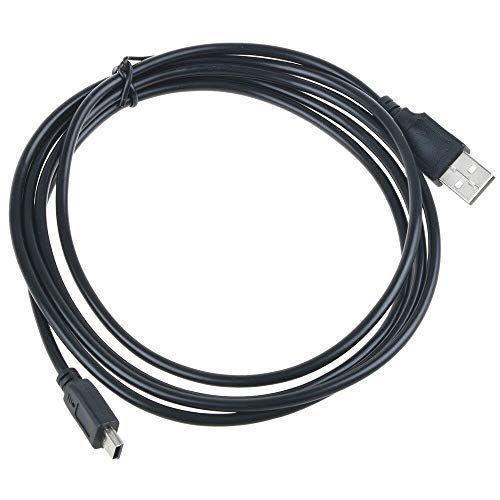
Your Icicle package includes the Icicle XLR to USB converter unit, a 6-foot USB to mini-USB cable, and our quick-start guide with connection instructions.
You'll need to supply your own XLR microphone and XLR cable (sold separately), as well as headphones if you want to use the monitoring output. The included USB cable is long enough for most desktop setups, and the mini-USB connection ensures compatibility with mobile device adapters and existing cables you may already own.